
Satsport Login and Registration Guide
Satsport provides Indian players with one account for sports betting, casino games, live dealers, promotions, and transactions. This guide explains the complete Satsport login and registration processes across desktop browsers, mobile devices, and our Android and iOS applications.
How to Register a New Satsport Account
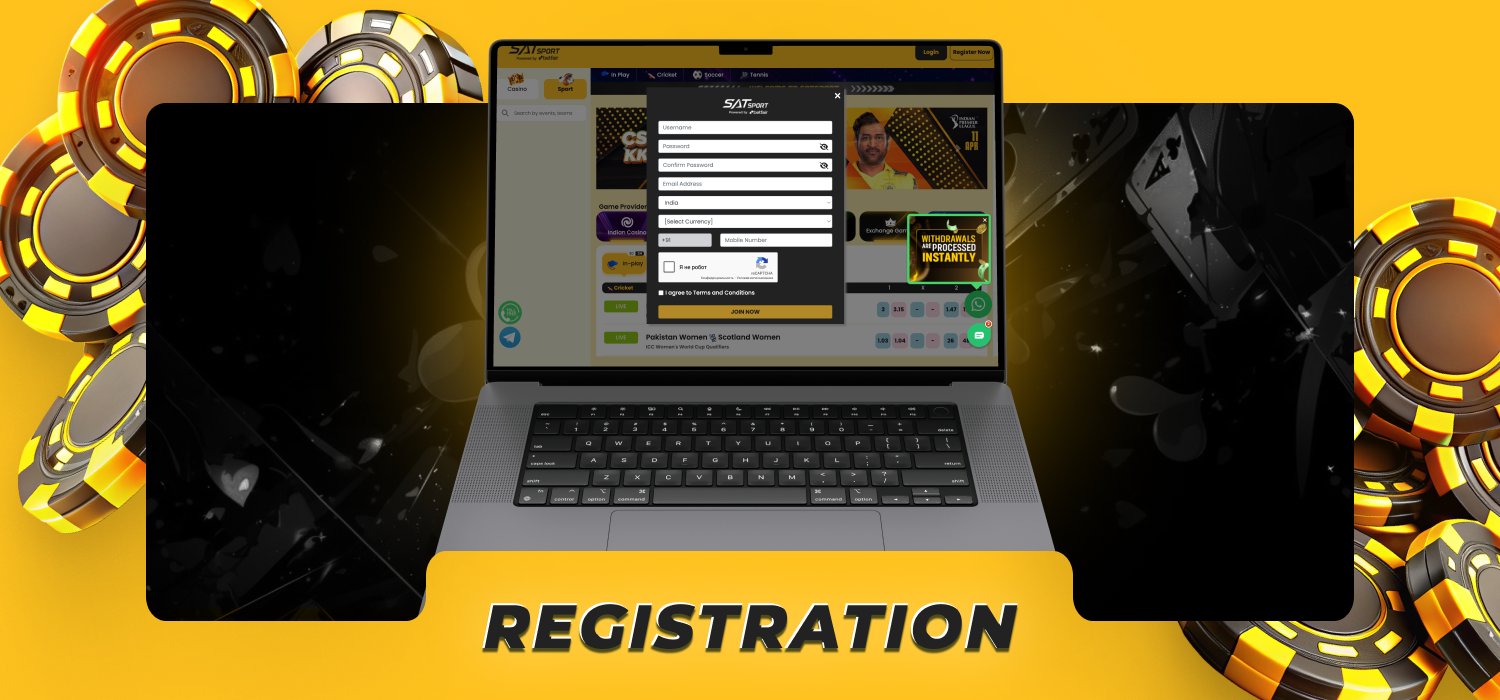
Creating a Satsport account takes only a few minutes. To register, Indian players will need to provide the following personal details:
- Username;
- Email address;
- Phone number;
- Password.
Step-by-Step Satsport Sign Up Process
Register through our standard form or use the WhatsApp-assisted account option. Keep your contact information accessible because verification codes and recovery instructions are sent to the email address and phone number connected to your profile.
- Open Satsport. Access our platform through a supported browser or launch the Satsport mobile app.
- Select Register Now. Open the registration form from the main navigation area.
- Choose a registration method. Continue with direct registration or request account assistance through WhatsApp.
- Create your username. Enter a unique name that you will remember.
- Add your email address. Use a personal email account that you control.
- Enter your Indian phone number. Enter a valid mobile number.
- Create a strong Satsport login password. Combine uppercase and lowercase letters, numbers, and special characters.
- Confirm your password. Enter the same combination again without extra spaces.
- Accept the terms. Read our Terms and Conditions and confirm your acceptance.
- Submit the form. Complete the registration and verify your phone number through OTP.
- Sign in to your account. Use your registered Satsport login ID and password to access the sportsbook, casino, cashier, and promotions.
Account Security and Verification Standards
SSL encryption safeguards your Satsports login credentials, contact details, and payment information during transmission. Our security procedures also include OTP confirmation, identity checks, payment-account verification, and account activity monitoring.
Verification confirms that the registered player owns the account and payment method. Your name, contact information, and payment-account details must remain consistent throughout the process.
Follow these security practices to protect your Satsport account:
- Create a unique password that you do not use on another platform.
- Keep your password, OTP, and banking credentials private.
- Access Satsport through our website or dedicated mobile applications.
- Avoid signing in through links received from unknown contacts.
- Log out after using a shared or public device.
- Contact our support team after detecting unfamiliar account activity.
- Update your password immediately after a security concern.
Please note that we will never ask you to share your password or OTP via live chat, email, Telegram, WhatsApp, or social media.
New Player Welcome Bonuses and Promotions
New players receive a 100% first-deposit bonus of up to ₹10,000. The minimum qualifying deposit is ₹500, and the bonus carries a 3x wagering requirement before the associated winnings become available for withdrawal. Complete Satsport login registration and verify your contact details before making the qualifying deposit. The welcome bonus process includes the following stages:
- Create an Account: Register a new Satsport account.
- Verify Your Details: Complete phone and email verification.
- Access the Cashier: Log in and open the cashier.
- Choose a Payment Method: Select an eligible INR payment method.
- Make a Deposit: Deposit at least ₹500.
- Claim Your Bonus: Receive a 100% match bonus of up to ₹10,000.
- Meet the Wagering Requirement: Complete the 3x wagering requirement to unlock your winnings.

How to Access Your Satsport Login Account
The Satsport authentication process is the same across desktop computers, smartphones, and tablets. Follow these steps to enter your account:
- Open Satsport through your browser or mobile app.
- Select Login.
- Enter your username, email address, or mobile phone number.
- Add your Satsport password.
- Select Login to access your account.
Never save your login credentials on a shared device. Sign out through the account dashboard after completing your session.
Satsport Login via E-mail and Phone Number
We support login through the email address or Indian mobile number registered to your account. Both options use the same password and open the same Satsport profile.
For email login, enter the complete address without spaces and use the password created during registration. For phone login, include the correct +91 country code and enter the mobile number connected to your profile.
Your email address and phone number also support Satsport login password free recovery. Keep both contact methods current so that you receive OTPs, reset instructions, and security notifications without delay.

Satsport Mobile App Login Instructions
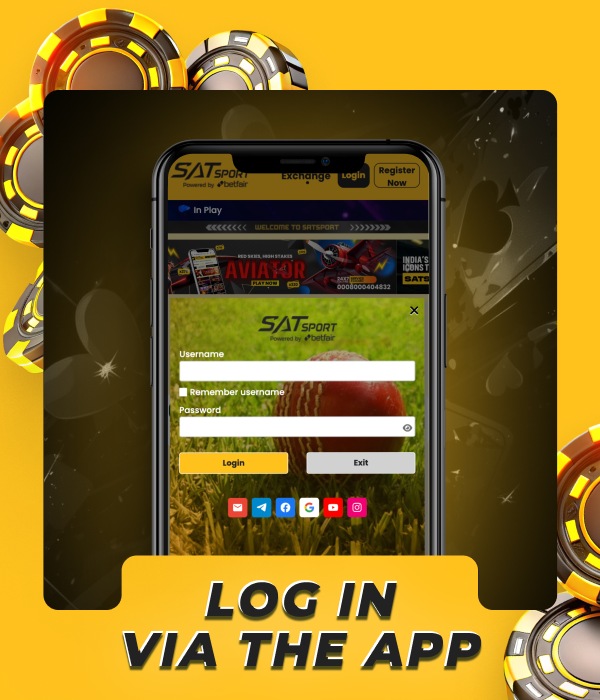
Our dedicated Satsport applications provide account access on Android and iOS devices. The app includes the sportsbook, casino, promotions, cashier, transaction history, and account settings. The mobile login process uses the same registered credentials as the desktop platform:
- Download and install the Satsport app on your Android or iOS device.
- Open the app and tap Login.
- Enter your registered credentials.
- Tap Login to continue.
- Complete OTP verification.
- Access your sportsbook, casino, balance, and account settings.
Troubleshooting Common Satsport Login Issues
Most login problems result from incorrect credentials, an outdated password, OTP delivery issues, or repeated unsuccessful attempts. Use the recovery option that matches the access problem instead of creating another account.
The following solutions restore access to your existing profile:
- Forgotten password: Select the Forgot Password option, choose email or phone verification, enter the code you receive, then create a new password.
- Incorrect email address: Check spelling, remove spaces, and enter the complete address used during registration.
- Wrong password: Check capital letters, numbers, and special characters before trying again.
- Account lock: Stop repeated login attempts and contact our customer support team for account recovery.
- Mobile app error: Update the app, restart the device, and reconnect to a stable internet connection.
- Verification restriction: Complete the required identity and payment checks before accessing restricted account functions.
Do not register a replacement profile when access to your original account is blocked. Our support team restores access after confirming account ownership.
FAQ about Satsport Login and Registration
What information do I need for Satsport registration?

You need a username, active email address, valid mobile number, and strong password.
Can I use the same Satsport login on mobile and desktop?
Yes, the same credentials work on desktop, mobile browsers, and our Android and iOS apps.
How do I reset my Satsport password?
Select Forgot Password, verify your email address or phone number, enter the received code, and create a new password.
Why is my Satsport account locked?
Repeated entry of incorrect login credentials triggers an account lock. Contact our support team to verify ownership and restore access.
Do I receive a bonus after registration?
Yes, deposit at least ₹500 to receive a 100% first-deposit bonus of up to ₹10,000 with a 3x wagering requirement.
What is the minimum age for Satsport registration?
You must be at least 18 years old to register and use Satsport.