
Satsport Deposit and Withdrawal Complete Guide

Satsport is a sports betting and casino gaming platform that provides fast, secure, and convenient INR payment solutions tailored to Indian players. Our financial ecosystem covers deposits, withdrawals, identity verification, transaction protection, and dedicated payment support across desktop and mobile devices.
The minimum Satsport deposit is ₹500, while withdrawals start from ₹1,000. Players can manage their balance using Google Pay, Paytm, bank cards, Net Banking, and standard bank transfers. SSL encryption protects financial information throughout every transaction.
Table of Contents
This guide covers each stage of managing money through a Satsport account. Use the following navigation outline to find the relevant payment information:
- Step-by-Step Satsport Deposit Process
- Available Payment Methods on Satsport
- Satsport Deposit Limits and Instant Processing
- How to Execute a Withdrawal on Satsport
- Supported Payout Channels
- Withdrawal Processing Times and Limits
- Key Transaction Policies and Verification
- Transaction Fees
- Security Standards and Financial Protection
- Troubleshooting Deposit and Cashout Problems
- Customer Support for Transaction Help
- Best Practices for Smooth Banking
- Frequently Asked Questions
Step-by-Step Satsport Deposit Process
Depositing funds takes only a few minutes after registration. We accept payments in Indian rupees, allowing players to fund their accounts without converting INR into another currency.
Before beginning, log in with your registered email address, phone number, or username. Then follow these steps to add funds:
- Open the cashier. Sign in to your account and click Deposit in the top menu.
- Choose a payment method. Select Google Pay, Paytm, Visa, Mastercard, Net Banking, or bank transfer.
- Enter the deposit amount. Add at least ₹500 and review any eligible promotion before completing the transaction.
- Confirm your payment details. Check the amount, selected method, and recipient information.
- Complete bank or wallet authorisation. Approve the transaction through the secure payment gateway connected to your chosen payment service.
- Wait for confirmation. Keep the payment window open until the transaction has been confirmed.
- Check your Satsport balance. The deposited amount appears in your account after successful processing.
Available Payment Methods on Satsport
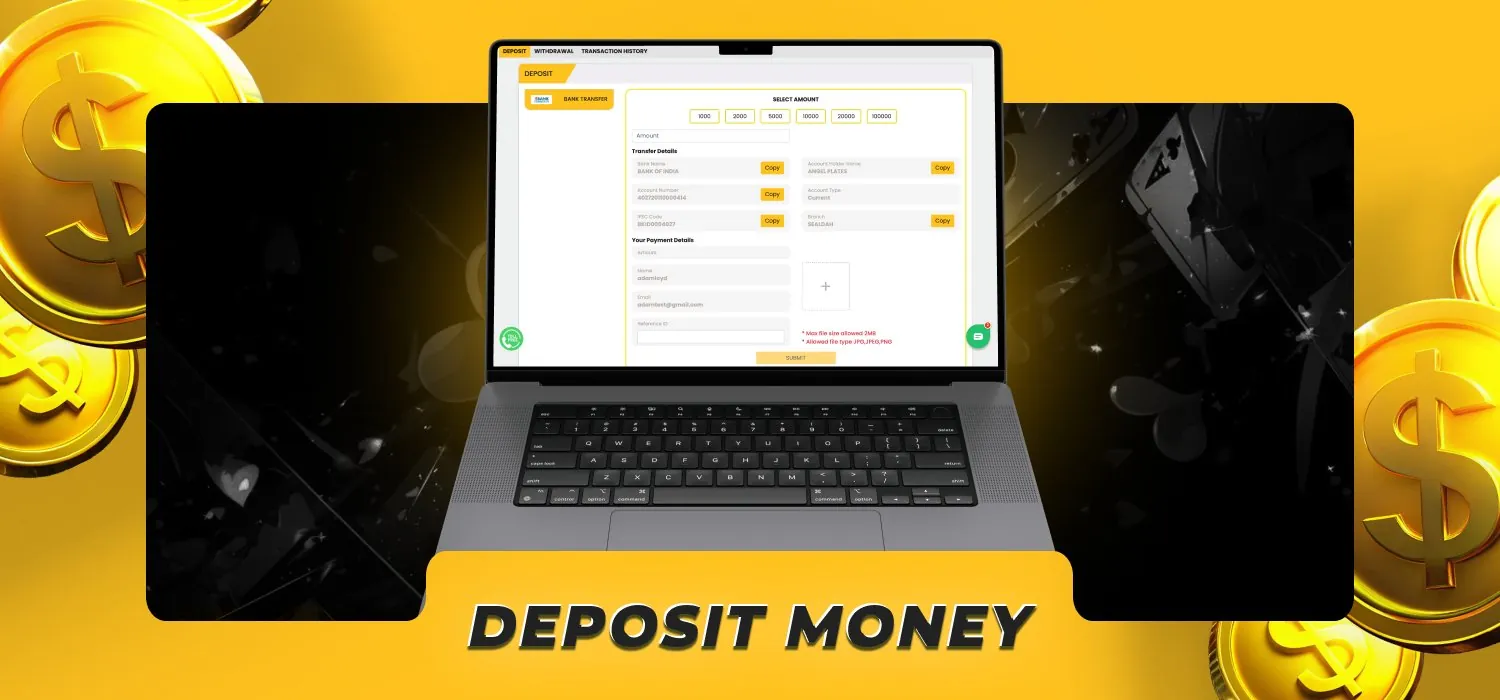
Our payment selection combines popular Indian wallets with conventional banking channels. The following options are available for Satsport deposits:
| Payment method | Deposit availability | Minimum deposit | Processing time |
|---|---|---|---|
| Google Pay | Yes | ₹500 | Instant |
| Paytm | Yes | ₹500 | Instant |
| Visa | Yes | ₹500 | Instant to 15 minutes |
| Mastercard | Yes | ₹500 | Instant to 15 minutes |
| Net Banking | Yes | ₹500 | Up to 30 minutes |
| Bank transfer | Yes | ₹500 | Up to 1 working day |
These INR payment methods provide direct access to the Satsport balance without requiring a crypto conversion.
Satsport Deposit Limits and Instant Processing
The minimum deposit is ₹500 across all supported payment channels, keeping things accessible whether you’re a casual player or a high-volume bettor. Google Pay and Paytm deposits are processed instantly after payment confirmation.
Card deposits take between a few seconds and 15 minutes, while Net Banking transactions are completed within 30 minutes. A standard bank transfer reaches the account within one working day.
Processing begins only after the bank, card issuer, or wallet has authorised the payment. A declined authorisation does not create a playable balance in the Satsport account.
How to Execute a Withdrawal on Satsport

Withdrawals return available real-money winnings from the Satsport balance to a verified payment account. Before submitting your first request, complete account and payment verification. The following process covers every stage of a standard withdrawal:
- Log in to Satsport. Open your verified account through our website or mobile application.
- Open the withdrawal section. Select Withdraw from the account balance menu.
- Choose a payout channel. Select Google Pay, Paytm, Visa, Mastercard, or bank transfer.
- Enter your payout details. Provide the required wallet, card, or bank account information.
- Choose the withdrawal amount. Request a minimum withdrawal of ₹1,000 to proceed.
- Review the information. Confirm the amount, account holder’s name, and destination details.
- Submit the request. Authorise the cashout and complete OTP verification.
- Track the transaction. Monitor its status through the transaction history in your account.
- Receive your funds. The money arrives after internal approval and payment-channel processing.
A withdrawal request can be cancelled while its status remains pending. The requested withdrawal amount returns to the playable cash balance after cancellation. Once processing has started, the destination and amount cannot be changed.
Supported Payout Channels
Our payout channels cover wallets, cards, and direct bank settlement. Using a payment method registered in the same name as the Satsport account keeps the verification process straightforward. Players can receive withdrawals through the following methods:
- Google Pay;
- Paytm;
- Visa;
- Mastercard;
- Direct bank transfer.
Withdrawal Processing Times and Limits
The minimum Satsport withdrawal is ₹1,000, with no maximum daily cashout limit. Processing starts after account, balance, and payment verification have been completed. Processing time begins after the withdrawal has passed account, balance, and payment verification.
| Payout method | Minimum withdrawal | Required payment details | Processing time |
|---|---|---|---|
| Google Pay | ₹1,000 | Registered mobile number | Up to 24 hours |
| Paytm | ₹1,000 | Paytm-linked mobile number | Up to 24 hours |
| Direct bank transfer | ₹1,000 | Account number, account holder name, and IFSC code | 1-5 working days |
| Visa | ₹1,000 | Cardholder name and eligible card details | 1-5 working days |
| Mastercard | ₹1,000 | Cardholder name and eligible card details | 1-5 working days |
Key Satsport Transaction Policies and Verification

Verification protects accounts from identity theft, payment misuse, and unauthorised withdrawals. It also confirms that every payment method belongs to the registered account holder. Players must provide accurate information during registration and keep it consistent with their banking records. The verification process covers the following requirements:
- Verification of the email address and Indian mobile number;
- Confirmation of bank, card, or wallet ownership;
- OTP confirmation for protected account actions;
The name on the payment account must match the name registered with Satsport. Third-party cards, wallets, and bank accounts cannot be used for a top-up or withdrawal. This policy protects both the player and the legitimate payment-account owner.
Transaction Fees
Satsport does not charge a platform fee for deposits or withdrawals. The full deposit amount is added to the account, and approved withdrawals are sent without a Satsport service deduction. A bank, wallet, or card issuer can apply its own external transaction charge. These provider charges are separate from Satsport and appear within the selected payment service before authorisation.
Security Standards and Financial Protection
We use SSL encryption to protect personal and financial information during transmission. Encrypted connections prevent payment details, login credentials, and verification data from being read while they travel between the device and our systems.
Our financial security controls also include OTP authorisation, payment ownership checks, account monitoring, withdrawal reviews, and restricted access to sensitive account functions. These measures help block unauthorised transactions and detect irregular activity.
Our support agents never ask for a password or OTP through live chat, email, Telegram, WhatsApp, or social media. OTP codes should only be entered into the authorised verification screen during a transaction or account recovery process.
Troubleshooting Deposit and Cashout Problems

Most transaction problems involve incorrect payment details, incomplete authorisation, verification restrictions, or delays at the bank or wallet level. The transaction history provides the current status and a reference number for every completed, pending, declined, or cancelled payment. Use the following solutions to resolve common deposit and withdrawal issues:
- Deposit not credited: Confirm that the payment was completed, wait for the standard processing period, and provide the transaction reference to support.
- Deposit declined: Check the available bank balance, card details, transaction limit, and OTP before submitting a new payment.
- Incorrect deposit amount: Contact support with the payment receipt instead of sending another transaction.
- Withdrawal rejected: Correct the destination details, meet all bonus wagering conditions, and submit a new request.
- Bank transfer delayed: Check the working-day schedule and confirm the account number and IFSC code.
- Wallet payout missing: Verify that the registered mobile number and wallet account remain active.
- Card cashout unsuccessful: Use an eligible card registered in your own name or select a verified bank payout method.
Do not create duplicate deposits while an earlier transaction remains pending. Duplicate payments create separate transactions and can complicate payment reconciliation.
Customer Support Channels for Transaction Help
Our support team assists with pending deposits, rejected withdrawals, verification requirements, transaction references, bonus balance questions, and payment-account updates. Assistance is available 24/7. Players can contact us through these channels:
| Support channel | Availability | Best used for |
|---|---|---|
| Live chat | 24/7 | Immediate deposit and withdrawal assistance |
| 24/7 | Receipts and detailed payment reviews | |
| Telegram | 24/7 | General account and transaction guidance |
Best Practices for Smooth Banking at Satsport
Good account preparation reduces payment delays and keeps deposits and withdrawals easy to track. Complete verification before requesting a cashout and use one primary payment method whenever practical. The following practices support smooth banking:
- Register with your complete legal name.
- Verify your phone number and email address immediately.
- Use cards, wallets, and bank accounts registered in your own name.
- Enter the exact deposit amount shown in the cashier.
- Confirm the account number and IFSC code before a bank cashout.
- Keep payment receipts until each transaction is completed.
- Review bonus conditions before using promotional funds.
- Avoid cancelling and resubmitting the same withdrawal repeatedly.
- Contact support when a transaction exceeds its stated processing time.
Set a personal deposit budget to manage your finances responsibly. Account limits help control spending and keep gaming within an affordable entertainment budget.
FAQ about Satsport Deposit and Withdrawal
What is the minimum Satsport deposit?

The minimum deposit is ₹500. This limit applies to Google Pay, Paytm, cards, Net Banking, and bank transfers.
What is the minimum withdrawal amount?
The minimum withdrawal is ₹1,000. There is no maximum daily withdrawal limit.
How long does a Satsport withdrawal take?
Google Pay and Paytm withdrawals are processed within 24 hours. Visa, Mastercard, and bank transfers take one to five working days.
Does Satsport charge transaction fees?
No, we do not charge fees for deposits or withdrawals. Charges applied independently by a bank, wallet, or card issuer remain separate from our service.